GrokEye was a Grokathon project. xAI ran the hackathon in August, I ended up on a team with Derek and Dan, two engineers from Anduril, and in about a day of commits we built a thing that watches you work through a camera and talks back. We placed top 6.
what it does
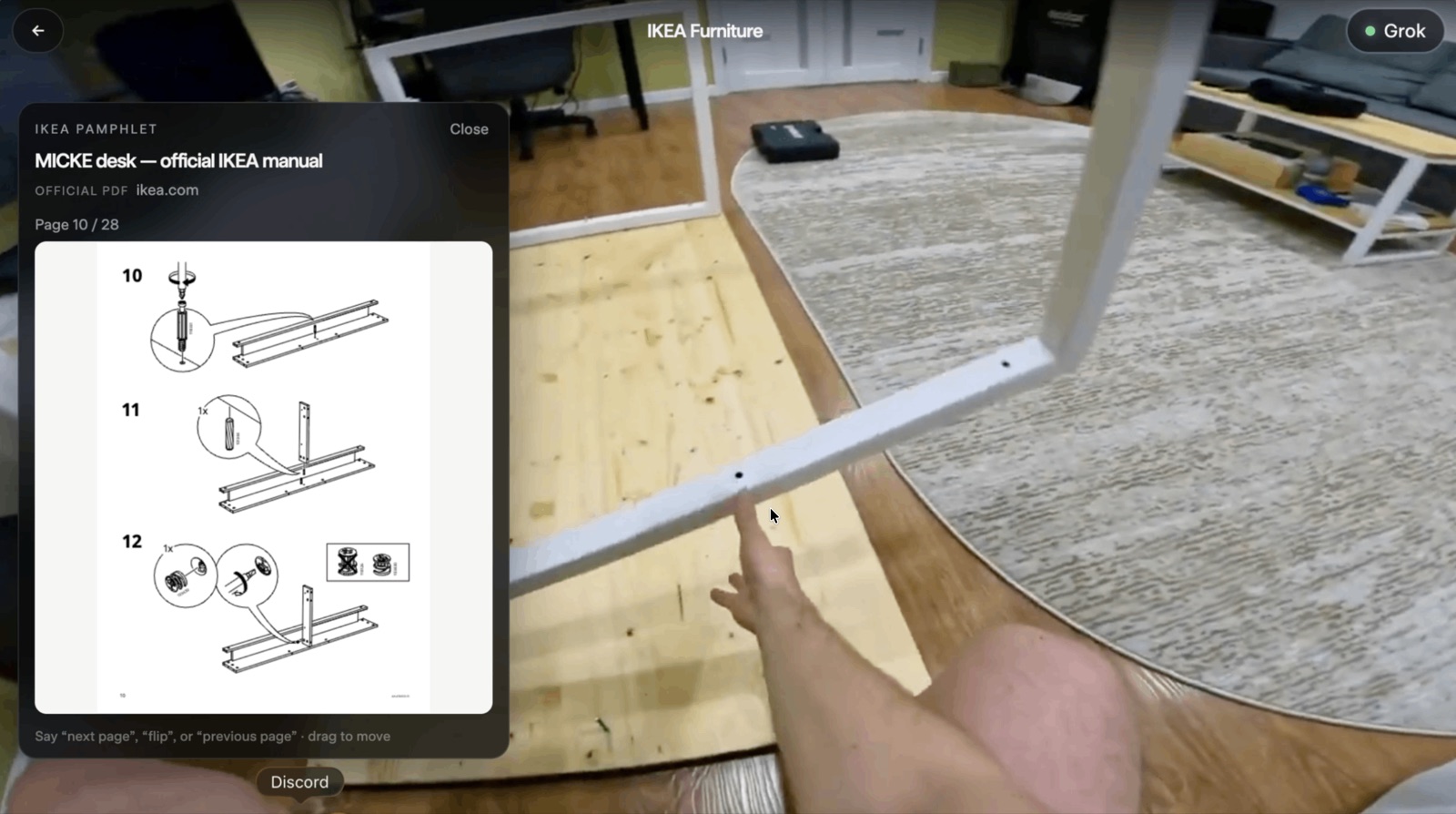
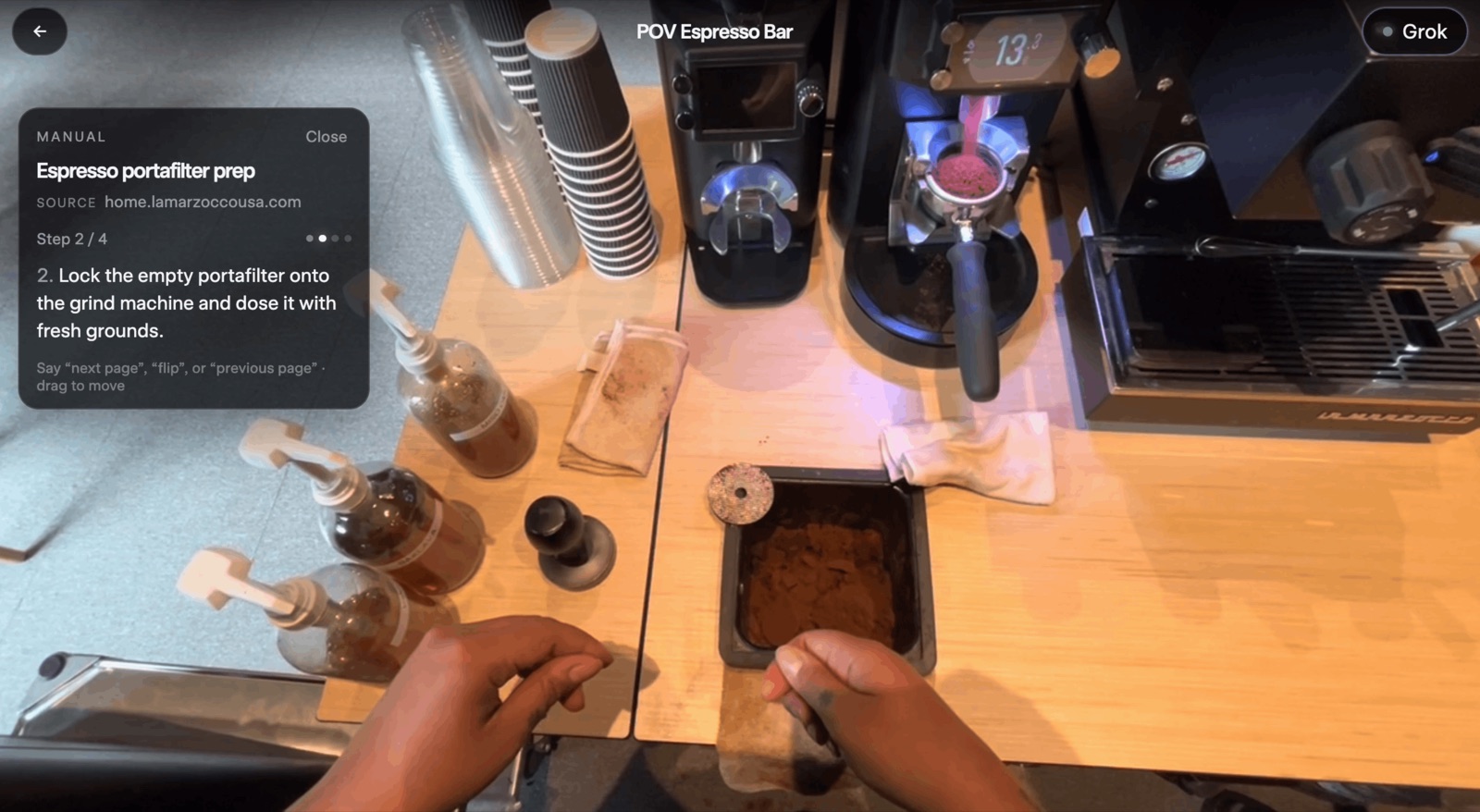
You're doing something with your hands: tamping espresso, seating a GPU, screwing legs onto an IKEA desk. GrokEye plays that feed in the browser, listens the whole time, and when you ask "where does this connect" it draws a box on the slot, an arrow from the thing in your hand to the slot, and says the answer out loud. Ask for the manual and it pulls up the steps. Ask "how did I do" and it looks back over the last few seconds and tells you what you skipped.
The stack is plain. React and Vite on the front, an Express server, and grok-4.5 for everything that needs a brain: chat, finding objects in a frame, web search, checking your work. Speech in is Chrome's Web Speech API, which is free and always on. Speech out is xAI's TTS with a voice called Carina. No speech key, and no CV library anywhere in the browser.
a turn
Any speech starts a turn. There's no wake word to get in. There is one to interrupt, because Chrome only allows one recognizer at a time and we needed a second one running while Grok was talking so you could say "hey grok" over it. STT hears that as grok, groc, grock, grawk, greg, brook, brock or crock, so the regex matches all eight.
The moment you start talking, the client grabs a frame, notes the media time, and ducks the video's volume. Grabbing it at onset matters: by the time you finish saying "where does this go" your hand has left the frame. When you stop for 1.6 seconds, the transcript goes through a pile of regexes before it goes anywhere near a model: is this a highlight question, does it need to see the screen, is it a web fact, is it a manual command, is it "next step". I wrote most of that router. It isn't clever, it's just a lot of cases, and it's a big part of why the demo felt fast. Half the turns never touched the network for anything except the answer.
Then two requests go out at once. /api/chat gets the question plus up to three context frames and returns the spoken reply. /api/labels gets one high-detail frame and returns JSON boxes. The reply goes straight to TTS so the boxes are painting while the audio is still encoding.
The three context frames aren't just the last three. For a "did I do that right" question the picker adds the frame from about two seconds before you started talking and the highest-motion frame in recent memory, keeps at most three distinct ones in time order, and never includes anything after the question began. A plain "where is it" gets one frame.
the part that took 15 to 40 seconds
The first version of the box call was unusable. Grok would spend 600 to 1,500 hidden reasoning tokens deciding where a PCIe slot was, which took 15 to 40 seconds, and the boxes were no better for it. Setting reasoning_effort to low mostly fixed that. When the model skips reasoning it answers in about two seconds. When it doesn't, it's nine to seventeen, and you can't tell in advance which you're going to get.
Two things fixed the rest. The first is a cascade in front of Grok. Anything with a distinctive color, the salmon in the sushi clip, gets found by an HSV blob detector on the device in a few milliseconds. Anything with a name YOLO knows goes to a local YOLO-World detector behind FastAPI. Only what's left goes to Grok. The cheap tiers answer instantly when they can, and Grok only gets the questions that need it.
The second is hedging. The server fires three identical requests and takes the first one that parses. Not the first one that returns. An arm that comes back with broken JSON can't beat a good one anymore, and for a few hours it could, which was a real bug. After the first valid result there's a 450 ms grace window, and if a second arm lands with the same label count and link structure and boxes that overlap the first at IoU 0.25 or better, the two get averaged. The rest are aborted. Three arms costs three times the tokens on a call that happens a few times a minute, and it turned a lottery into something you can rehearse a demo around.
The same trick went onto the tools endpoint, the verify endpoint, and the watcher. Dan did the same to step review, which was a two-stage pass costing 20 to 40 seconds and became one call averaging 3.6.
keeping the box on the thing
Grok gives you a box once. The video keeps moving. Something has to carry the box between calls, and we didn't want OpenCV in the browser, so the tracker is about 900 lines of TypeScript on top of getImageData.
I wrote it over the first day, starting from a template-matching sketch in Derek's scaffold and ending up somewhere fairly different. Frames get downsampled to 320 wide. Each tracked box keeps three templates: a 40×40 grayscale patch, its Sobel edge magnitude, and an 8×8×8 RGB histogram. Every tick, a sparse block-match flow (a 2×2 grid of small patches, SAD search, median displacement) predicts where the box went, and the search runs in a window around that prediction. If the gray NCC score comes back above 0.62 we take it and skip the rest. Otherwise the score is half gray NCC, a quarter edge NCC, a quarter Bhattacharyya on the histograms. A ±8% scale sweep is accepted only if it improves the gray match by more than 0.02. Templates adapt slowly when confident. The box moves 60% of the way toward each hit in position and 15% in size, which was the setting where it looked glued without looking jittery.
It self-throttles to 24 fps when locked and 16 when hunting. The one thing I'd call a hack is the salmon assist: on the sushi clip, if the query mentions fish and the tracker has missed twice, an HSV centroid nudges the box toward the pink thing. There's a comment in the code saying exactly that.
There's also tighten.ts, which shrinks Grok's boxes before the tracker sees them. Grok draws generously. The tightener projects edge energy along each axis and keeps the band holding 92% of it, with limits so it can't shift the center more than a quarter or shrink below 40%. Tighter boxes track better because there's less background in the template.
what was rehearsed
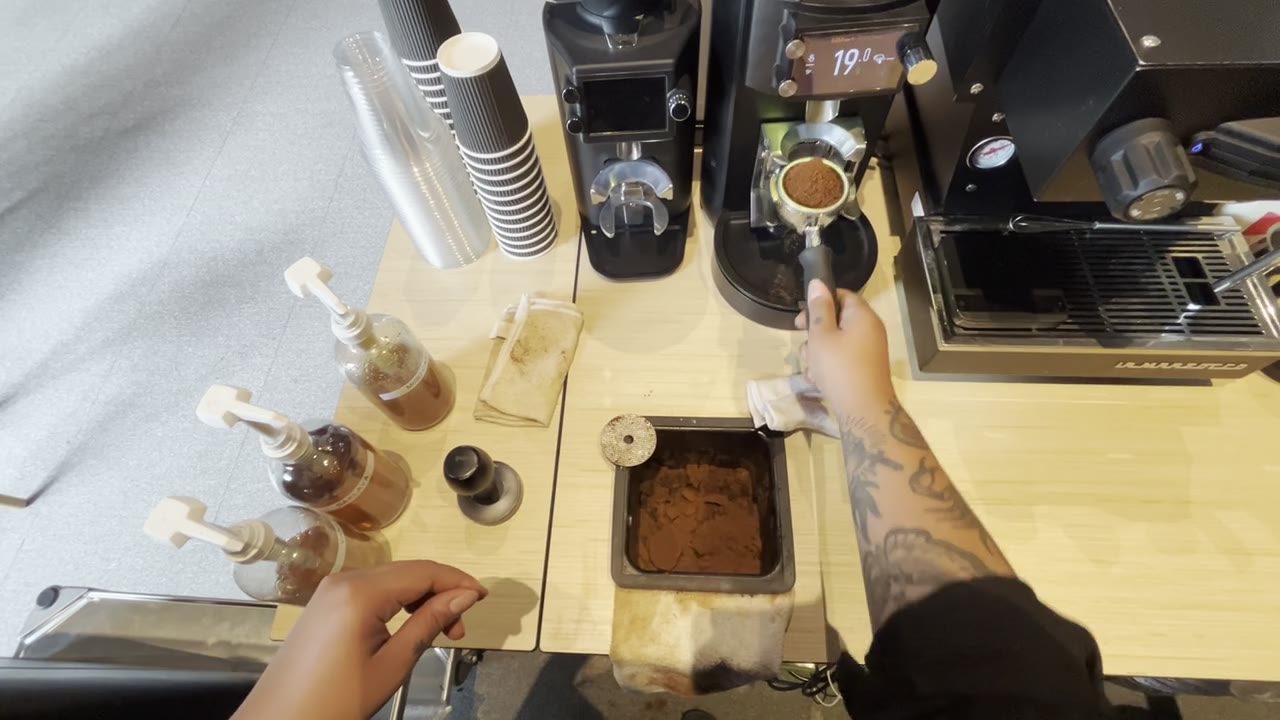
Some of the demo is choreographed and I'd rather say so than have someone find CHOREOGRAPHY.md. For a handful of asks in specific clips, the IKEA leg, the GPU seat, the tamp, there are hand-traced silhouettes keyed to time windows, and the player snaps to the traced frame so the outline lands. The windows were retimed to when we'd rehearsed asking, not when the action happens. The espresso "check my work" is timeline-only, no vision call, because the skipped tamp is at a known second and a live round trip was the one thing we couldn't afford to have fail on stage.
Everything else is live: the boxes, the tracker, the manuals, the web search, the step review.
what didn't work
Freezing the video when you started talking. It showed a blurry mid-motion frame and killed the flow, so the tracker now seeds from the speech-onset frame and the video never stops.
The local detector, at first. A loose COCO match returning "person" for "hand" would pre-empt Grok with a confident wrong box, and for a while that was our top source of wrong answers. The fix was making the detector return nothing on a query mismatch, so an unsure tier hands off instead of guessing.
Step review confabulated. Three runs in a row it reported an empty portafilter when every frame showed it full, because it had confused the knock box with the basket. The same endpoint also threw on every request for a while because crypto.createHash was used without being imported. The version that stuck makes the model write one line of what it sees in each frame before it gives a verdict, and refuses outright if it gets fewer than three distinct frames, which is what happens when the seek fails and you'd otherwise be asking it to invent a sequence from the same image three times.
Push-to-talk was added and reverted the same afternoon. Morphing silhouettes read as wobble and became rigid glides. Grok Imagine got cut from scope by noon. The last commits of the night were watchdogs: a backgrounded tab stops getting animation frames, and stalled audio would strand a turn, so there's a timeout that hands control back to the listener either way.
I don't think any of this is a product. I think the router plus hedging plus a dumb tracker is a surprisingly good recipe for making a slow multimodal model feel present, and that's the part I'd take to the next thing.
sources
The repo is dereky925/GrokEye. The interesting files are labels.js for the hedged grounding call, highlights.ts for the tracker, frameMemory.ts for the frame picker, and CHOREOGRAPHY.md for what was staged. The latency numbers are from the commit messages that day.